Learn
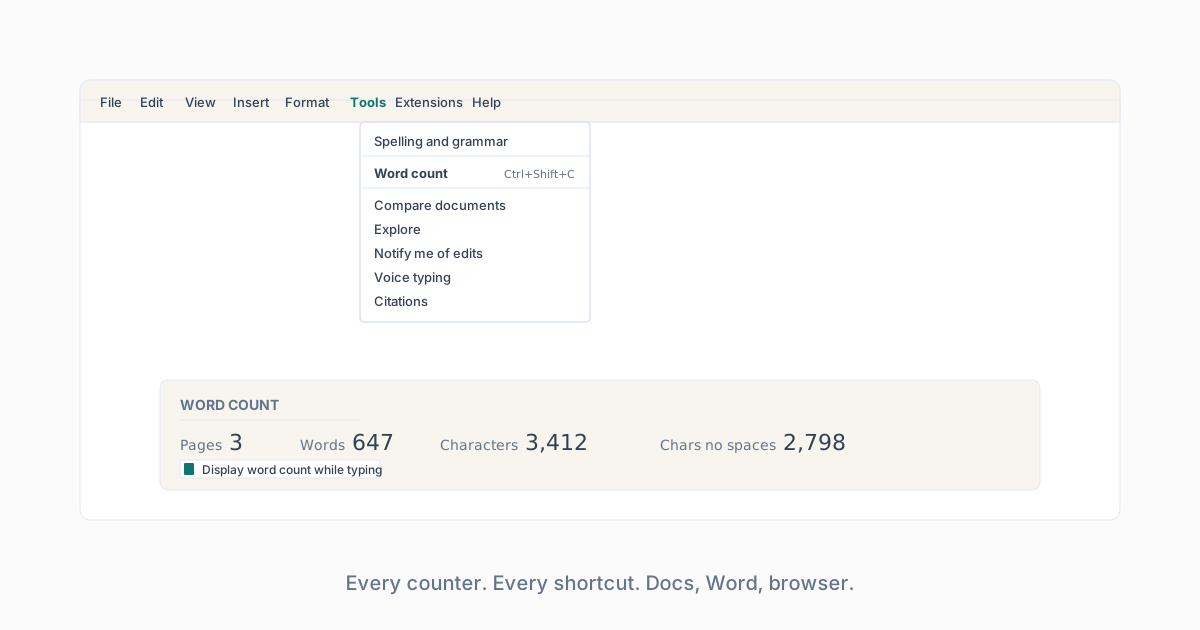
Google’s own support docs confirm the menu path, the shortcut, and the header/footer/footnote behavior. Google Docs word-count help.
Learn
Word Counter in Google Docs
Every way to see word count in Google Docs: menu, keyboard shortcut, live counter, selection count, mobile.
The menu
Tools › Word count. Opens a dialog with pages, words, characters, and characters without spaces. This is the definitive number Google Docs sees.
The keyboard shortcut
Windows: Ctrl+Shift+C. Mac: Cmd+Shift+C. Opens the same word-count dialog.
Live count
In the word-count dialog, tick “Display word count while typing.” Docs then shows a live count in the bottom-left corner. It updates on every keystroke and is the closest thing Docs has to the flagship counter here.
Selection count
Select any block of text, then Tools › Word count. The dialog splits into “Selection” and “Document” columns so you can see one paragraph’s count without losing the total.
Mobile
Docs iOS and Android: tap the three-dot menu › Word count. No keyboard shortcut; no live count in the mobile app.
What Google Docs counts as a word
Whitespace-separated tokens. Contractions count as one. Hyphenated words count as one. Numerals count as one word each. This matches the homepage counter tokenizer.
What is excluded
Google Docs word count excludes headers, footers, and footnotes by default. To include them, use the “Include headers, footers, footnotes” toggle in the same dialog.
Try the counter
Paste from Docs into the live counter to double-check against a second tokenizer. Docs and this counter should agree within 1 percent on plain body text.